Home > Products
Any Audio Converter Freeware
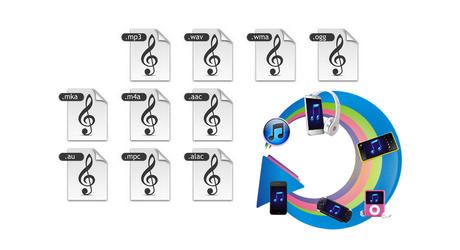
Any Audio Converter is a versatile audio converter and audio extractor with user-friendly interface and powerful functions. As an audio converter, Any Audio Converter can convert audio between MP3, WMA, WAVE, AAC, M4A and OGG formats as well as convert other unprotected audio formats. As an audio extractor, Any Audio Converter can extract audio from all popular video formats and online videos from YouTube, Google Video and Nico Video.
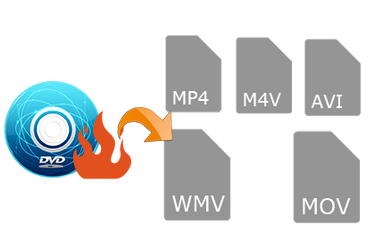
With this freeware, you can easily convert your audio files to MP3, WMA, WAV such as M4A to MP3, APE to MP3, RA to WMA, FLAC to WAV, etc. You can also extract audio from video clips such as AVI to MP3, MP4 to MP3, WMV to WMA, RMVB to MP3.
Click here to learn more about this free audio converter, and click here to check the screenshots of the program. Any questions regarding to Any Audio Converter, please refer to the FAQs page.
Any Audio Converter is completely free of charge. Click the Download button below to try Any Audio Converter.
Key Features
Support various video and audio formats
This free audio converter can convert between almost all popular audio and video formats including AVI, MPEG, WMV, MOV, MP4, RM, RMVB, ASF, FLV, MP3, M4A, WMA, WAV, FLAC, OGG, AU, MP2, and AC3 formats. Convert FLV videos from YouTube, Google, and NFLV to MP3.
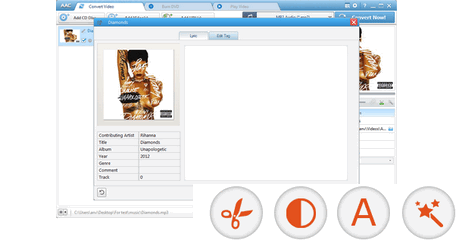
Powerful editing function
Allow you to adjust audio codec, bitrate, sample rate, audio channel, audio track, subtitle, audio volume, aac parameters, audio quality, etc.
You can also switch among Standard, Best quality, Mobile version, and HD file formats to download a YouTube video.
MP3 Converter
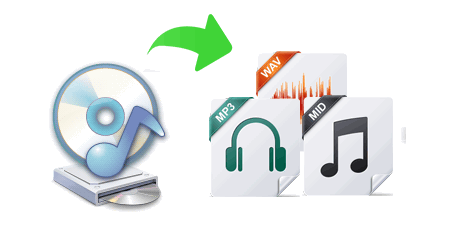
Any Audio Converter is a ideal all-in-one tool to convert batches of mp3 file format into wav file format for burning onto a CD, converting wav file format to the mp3 file format to listen to your favorite wavs but in the smaller mp3 format, and it is just a cool mp3 player, wave player. It's cool interface, easy to use,stable, prestissimo speed, wonderful output quality, converting in batches, saving play & convert list automatically and full support for help.
Free YouTube to MP3 Converter
The Any Audio Converter is really a powerful YouTube to MP3 converter as well as YouTube downloader. It can batch download videos from YouTube and then convert them to MP3, AAC, WAV, WMA and OGG audio files at super speed and high output audio quality.
You can easily convert YouTube to audio for free with this YouTube to audio converter freeware.
WMA Converter
This free WMA to MP3 Converter can convert Windows Media files to MP3 files which can be played in MP3 Players. All Windows Media formats (*.wma, *.wmv, *.asf) are supported. The program is a freeware and does not contain any form of malware, including but not limited to: spyware, viruses, trojans and backdoors.
Batch conversion
Convert multiple video and audio files in batch to MP3 Audio, OGG Vorbis Audio, WAVE Audio, AAC Audio, MPEG-4 Audio, and WMA Audio.
Auto shutdown computer
Automatically shut down your computer after conversion.
Easy to use
Supporting drag-and-drop to load file makes the video to audio conversion so easy.
Overview
With Any Audio Converter, you can easily convert your video and audio files to MP3, AAC, WMA, OGG, Wave and M4A within three steps:
Step One: Add audio and video files
After you run the program, click the "Add Media Files" button to select audios and videos from your hard drive. You can also batch add files by clicking menu "File --> Batch Add Media Files". You can extract audio from YouTube, Google Video and NicoVideo by pasting the URL links of the online videos or clicking the YouTube button. After files are added you can trim any part of any file in the Previewing and Trimming Window according to your need.

Step Two: Choose output profile and set output settings
MP3, WMA, AAC, OGG and WAVE audio output formats are available. All settings of the selected output format can be customized by you, as the picture below shows, you can customize start time and stop time for trimming and audio bitrate, audio sample rate, audio channel. You can even enter a value to set bitrate. If the original video file includes multiple audio tracks, you can select any track you like in "Audio Track" item. Click "Options" button in the bottom left of the program for more detailed settings.
![]() |
![]() |
Step Three: Start converting and open output folder
When you finish set output format, just simply click the "Convert" button to convert added or selected files to specified format immediately. After the conversion, click the Output Folder button in the bottom left of the program to open the output folder.
If you want to rip DVD, convert video, and remove DRM protection, please click here to check the product comparisons, and find out the most suitable software you need.
NoteBurner M4P Converter
NoteBurner is the best M4P converter that is compatible with Windows 7, Vista, XP, as well as Mac OS X. You can use it to convert M4P to MP3, WMA, M4A, WAV, OGG and FLAC.
Audiobook Converter for Mac
A useful AA converter which can easily convert audiobook to MP3 or AAC, so that you can play audiobook anywhere on your iPod, iPad, iPhone and other pportable devices.
AAC Testimonial
- awesome freeware thank you so much............
- Incredible work guys above and beyond freeware expectations,
keep up the good work and many many thank yous, in this rough economy its the free
resources that actually function and serve purpose that need to be
acknowledged; Again kudos to AAC staff and
developers..................
>>> From:aaron webb
Hot Products
Product Guides
PC & Mac Freeware
News
AAC Hot Topics